Automated invoicing: how one business got 22 hours a week back
In one sentence: Automated invoicing means the computer builds your invoices from work that's already recorded, like timesheets or orders, and for one UK hospitality staffing company it turned 30 to 40 hand-built invoices a week into about 22 hours back.
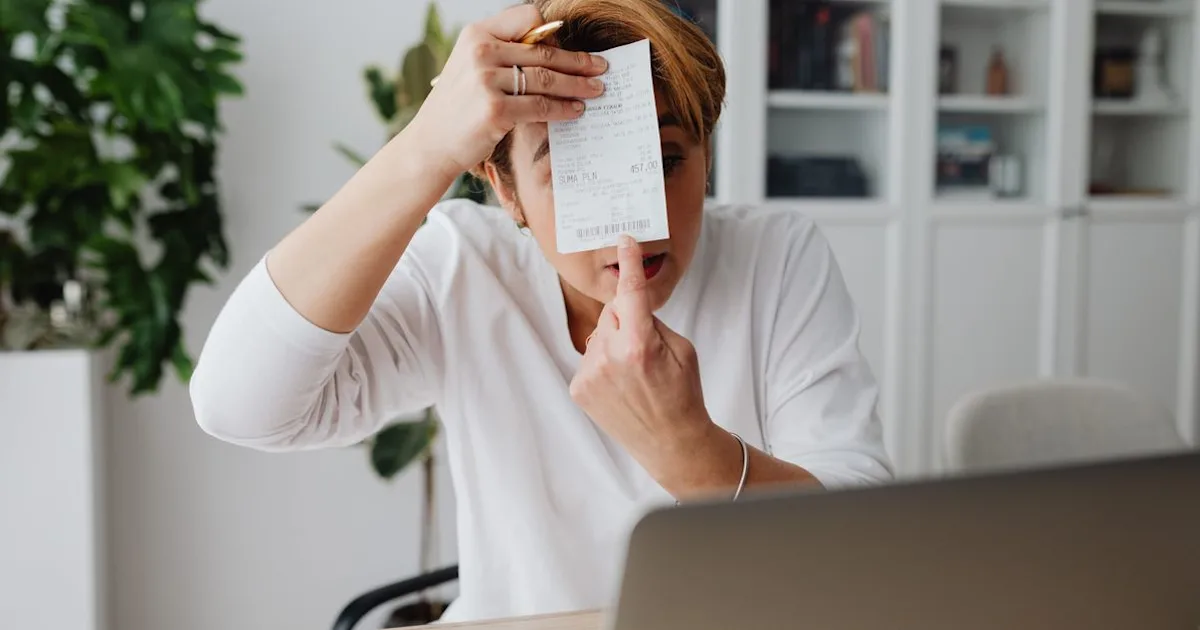
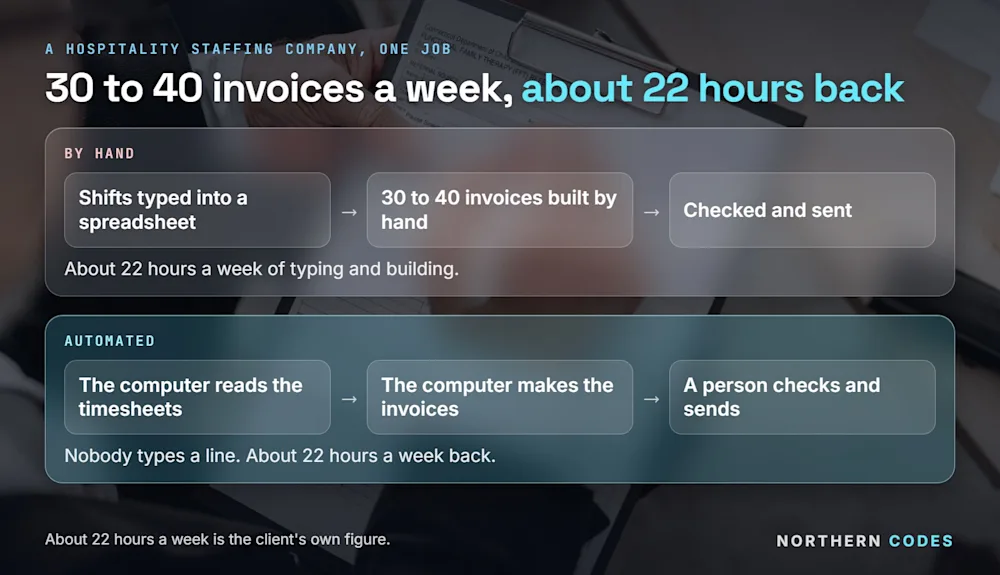
Every week, the same job came round. Workers' timesheets arrived. Someone opened each one, read the shifts and typed them into a spreadsheet. Then they built every invoice from that spreadsheet, checked it and sent it.
Thirty to forty invoices, every week. It worked. It also ate most of a person's week.
We automated that one job. Now the timesheets go in and the invoices come out, ready to check. That gave the business back about 22 hours a week. That's the client's own figure.
At a glance:
By hand | Automated | |
|---|---|---|
Invoices a week | 30 to 40, each built by hand | 30 to 40, made by the computer |
Typing timesheets into a spreadsheet | Every shift, every week | None |
Time spent | About 22 hours a week | A person checks and sends |
Mistakes from retyping | Carried straight onto the client's bill | Nothing is retyped |
What is automated invoicing?
It means the computer builds each invoice from information you already have, like a timesheet, an order or a finished job. Nobody types the hours or prices in again. A person looks over the invoices and sends them. The computer does the building.
It's one of the best first jobs to hand over, because it happens every week, it follows the same rules every time, and a mistake is easy to spot and fix. Our guide to automating business processes explains why those three things matter.
What did the job look like before?
Before, the week ran like this. Timesheets came in. A team member opened each one, read the shifts, and typed the hours and rates into a spreadsheet. From that spreadsheet they built each invoice, checked it and sent it.
Any slip in the typing went straight onto a client's bill. And because the job was so big, it had to be done every week, whatever else was going on.
What changed?
The timesheets now go straight into the system. It reads them, pulls out the shifts, checks the figures and makes the invoices. The team looks them over instead of building them.
Nobody types a line. The copying, the retyping and the building from scratch are gone.
Much of the work was linking what the business already used, so the information moved by itself instead of being typed again. We've written separately about getting your systems to talk to each other.
What went wrong at first?
It wasn't all smooth, and pretending otherwise is how people end up disappointed.
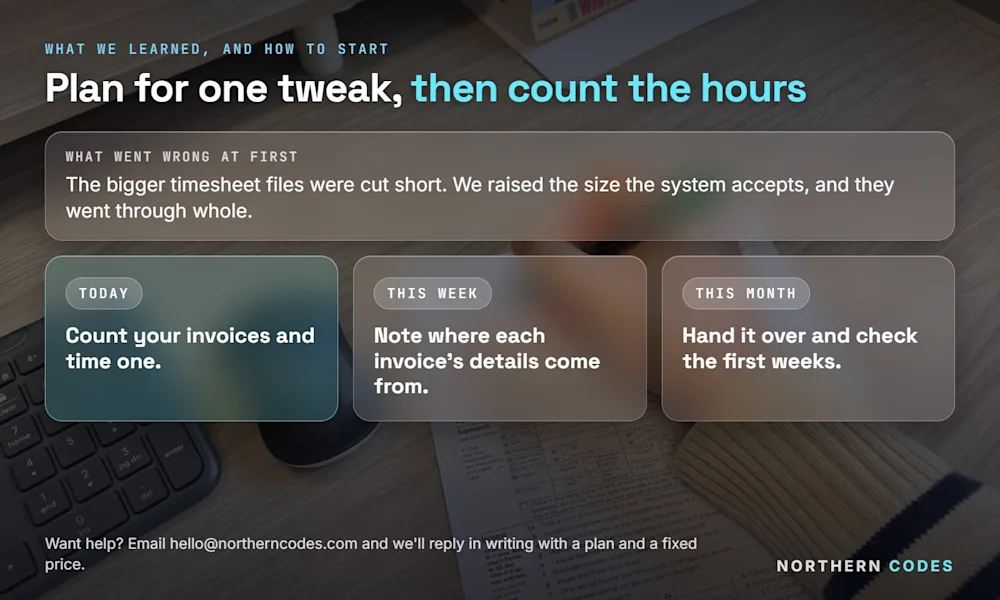
The first version choked on the bigger timesheet files. They arrived larger than the system was set up to take, so the upload cut them short and the numbers came through wrong. We found it, raised the size the system would accept, and the big files went through whole.
The lesson matters more than the fix. The gap between "works in a demo" and "works every Friday with the real files" is where most automation succeeds or fails. Plan for one tweak once it meets your real paperwork. That's normal.
Which invoicing jobs can a computer take over?
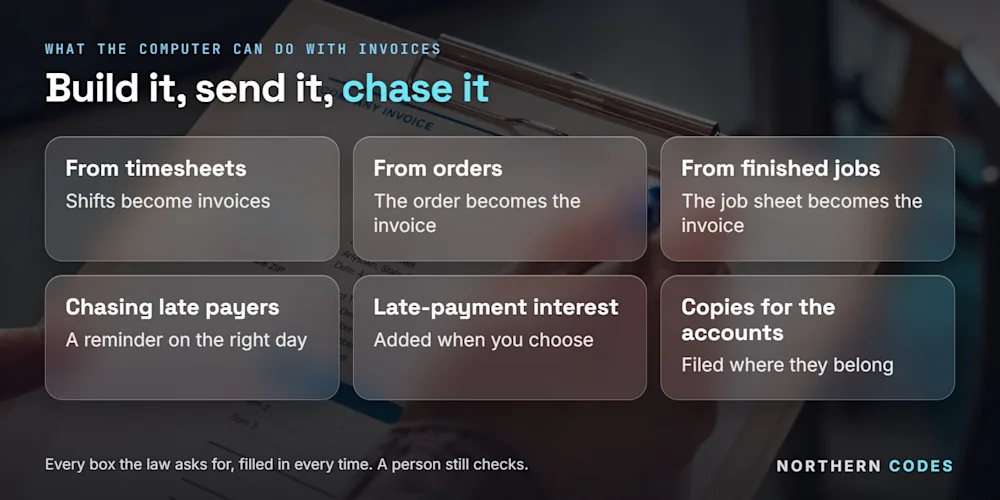
Almost every part of the job that follows the same steps. The computer can build the invoice, fill in every box the law asks for, send it, file a copy and chase it when it's late.
The job | Handed to the computer |
|---|---|
Invoices from timesheets | Shifts read from the timesheets, invoices made to check |
Invoices from orders | The order becomes the invoice, no retyping |
Invoices from finished jobs | The job sheet becomes the invoice |
Chasing late payers | A polite reminder goes out on the right day |
Late-payment interest | Added at the right rate when you choose to charge it |
Copies for the accounts | Filed where your accountant needs them |
GOV.UK lists what every invoice must include, from a unique invoice number and both company names and addresses to the supply date, the VAT if it applies and the total owed (GOV.UK, checked 28-09-2026). A computer fills every one of those in, every time.
If a customer pays late, UK law lets one business charge another interest of 8% plus the Bank of England base rate (GOV.UK, checked 28-09-2026). A computer never forgets the date.
How much time could automated invoicing give back?
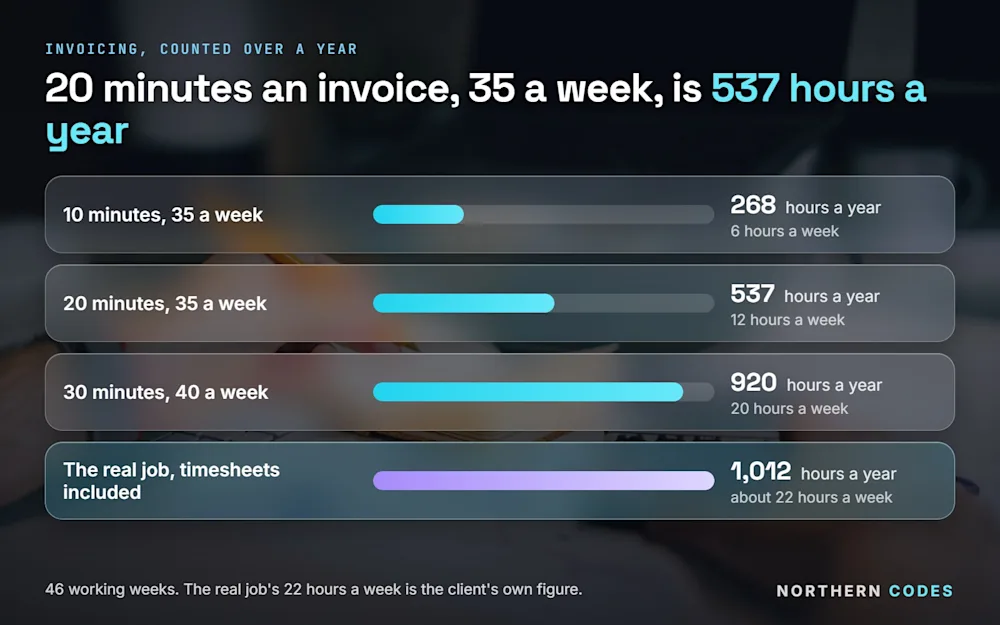
Time one invoice from start to finish, then multiply by how many you send in a week. Twenty minutes an invoice, 35 a week, is nearly 12 hours a week.
Each invoice takes | Invoices a week | Hours a week | Hours a year (46 working weeks) |
|---|---|---|---|
10 minutes | 35 | 6 | 268 |
20 minutes | 35 | 12 | 537 |
30 minutes | 40 | 20 | 920 |
The real job, timesheets included | 30 to 40 | about 22 | about 1,012 |
The hours are the easy part to count. Wrong invoices cost money too: each one has to be found, fixed, sent again and explained to the client.
Do you need new invoicing software?
Usually not. Most businesses already have accounts software that can hold invoices. The work is linking it to where the information starts: the timesheets, the orders or the job sheets.
If your timesheets are still on paper, the first step can be online timesheets, which staff fill in on a form instead of a sheet of paper. Once they're digital, the invoices can be made from them.
How do you start?
Three steps, over a month.
Today
Count how many invoices you send in a week, and time how long one takes from start to finish.
This week
Write down where the information for each invoice comes from: a timesheet, an order, a job sheet or someone's memory. That's the part to link.
This month
Hand the invoicing over, check the first few weeks closely, and count the hours it gives back.
Tell us where the time goes
Tell us where the time goes, in writing or on a call. Either way, you get a plan and a fixed price. A short form or an email is enough. Tell us in writing or book a call, whichever suits you. You can also email hello@northerncodes.com, or ask for a fixed price if you already know the job.
Common questions
Can a computer make invoices from timesheets?
Yes. For one hospitality staffing company it now reads the timesheets and makes 30 to 40 invoices a week. A person checks them before they go out.
Does someone still check the invoices?
Yes. The computer does the building. A person looks over the invoices and sends them, and steps in if something looks odd.
Will it work with my accounts software?
Usually, yes. Most accounts software can be linked, so invoices land where your accountant expects them. We check this before we quote.
Can it chase late payers too?
Yes. Reminders can go out on the right day, and late-payment interest can be added if you choose to charge it.
How long until it pays for itself?
It depends on how many invoices you send and how long each takes. The table above shows how quickly the hours add up. You get a fixed price in writing first, so you can compare it with the hours.
Will I know the price before you start?
Yes. You get a written plan and a fixed price before any work starts.
Sources: GOV.UK, Invoices: what they must include | GOV.UK, Charging interest on commercial debt. Both checked 28-09-2026.