How to automate business processes: which jobs to hand over first

In one sentence: Automating business processes means the computer does a job your team repeats every week, and the best job to hand over first is the one that happens most often and follows the same steps every time.
Every business has jobs like this. Someone copies an order from an email into the stock system. Someone builds the same report every Monday, and someone else loses Friday afternoon turning timesheets into invoices.
None of these jobs needs a person's judgement. They need doing, again and again, by someone who would rather be looking after customers or winning new work. Computers are good at that.
"Business processes" is a grand name for something simple: the jobs your team does the same way every time. Below are the jobs a computer can take over and a simple way to choose the first. Three real businesses show what it looks like. If you'd rather skip ahead, tell us where the time goes, in writing or on a call, and you'll get a plan and a fixed price.
At a glance:
The job | The by-hand way | What happens now |
|---|---|---|
Invoices from timesheets (a hospitality staffing company, 30 to 40 a week) | About 22 hours a week of typing | Made by the computer, checked by a person |
Replies to "where's my order?" (Stomp Distribution) | Look up each order, then write back | The reply goes out by itself with the tracking number |
The weekly sales report (Stomp Distribution) | Pull the numbers together each week | Arrives by email every Monday |
Stock numbers on the website (ERTECH LTD) | Update each product by hand | Updated every night, by themselves |
The morning check (ERTECH LTD) | Look at each system to see if it's working | One email every morning says what's working |
What does it mean to automate a business process?
It means the computer does a job from start to finish, the same way every time, and a person only steps in when something looks odd. The job still gets done. Nobody has to sit and do it.
Take invoices. By hand, someone opens each timesheet, reads the hours, types them into a spreadsheet and builds an invoice. Handed to the computer, the timesheets go in and the invoices come out, ready to check.
Your team keeps using the systems it already knows, and the boring part now happens by itself in the background, week after week.
Which jobs can a computer take over?
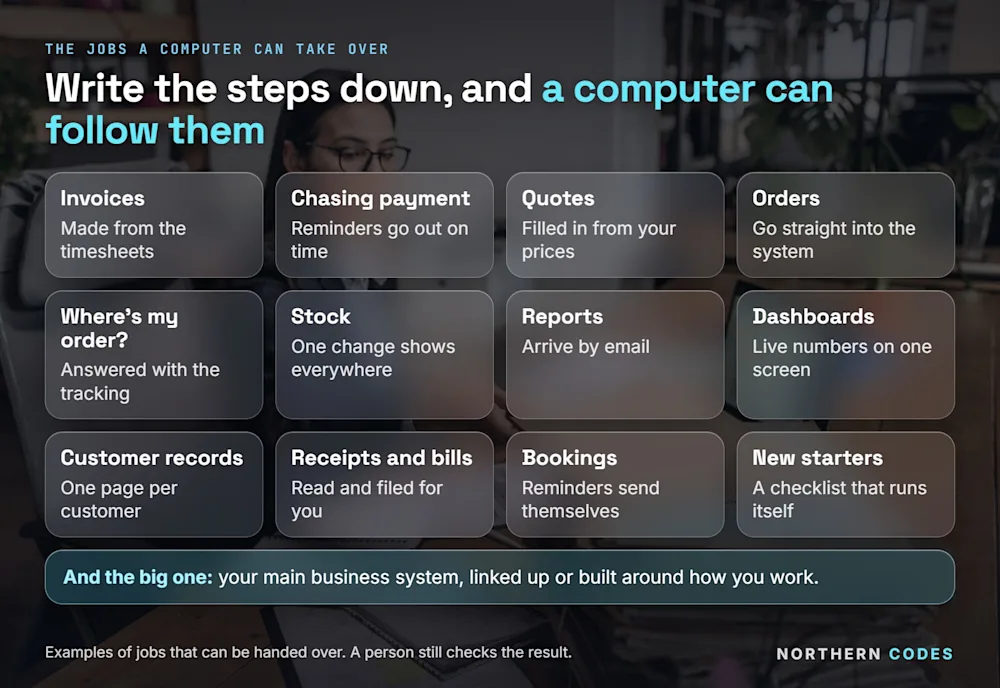
Almost any job that follows the same steps every time. If you could write the steps on a card and hand them to a new starter, a computer can probably follow them too. Here are the most common ones, from invoices and reports to the main system a whole business runs on.
The job | Done by hand | Handed to the computer |
|---|---|---|
Invoices | Typing hours and prices into each one | Made from the timesheets or orders, ready to check |
Chasing payment | Someone remembers to email late payers | A polite reminder goes out on the right day |
Quotes | Building each quote from a blank page | The quote fills itself in from your price list |
Orders | Copying each order from an email into your system | The order goes straight in |
"Where's my order?" | Looking up each order before replying | The answer goes back with the tracking number |
Stock | Updating numbers in two or three places | One change shows up everywhere |
Reports | Pulling numbers into a spreadsheet every week | The report arrives by email when you need it |
Dashboards | Asking three people for this month's numbers | One screen shows the numbers that matter, as they change |
Customer records | Hunting through emails for a customer's history | One page per customer, with everything on it |
Receipts and bills | Typing each one into the accounts | The computer reads it and files it |
Bookings | Ringing people to remind them | Reminders go out by themselves |
New starters | The same forms and emails for every new person | One checklist that runs itself |
Your main business system | Five systems that don't talk to each other | Linked up, or one system built around how you work |
Chasing payment is a good example of a job with clear rules. UK law even sets the late-payment interest one business can charge another: 8% plus the Bank of England base rate (GOV.UK, checked 28-09-2026). A computer can send the reminder, add the right figure and never forget a date.
Some of these jobs are about linking what you already have, and we've written a separate guide on getting your systems to talk to each other. Others mean building something new, like customer records built around how you sell.
Which job should you hand over first?
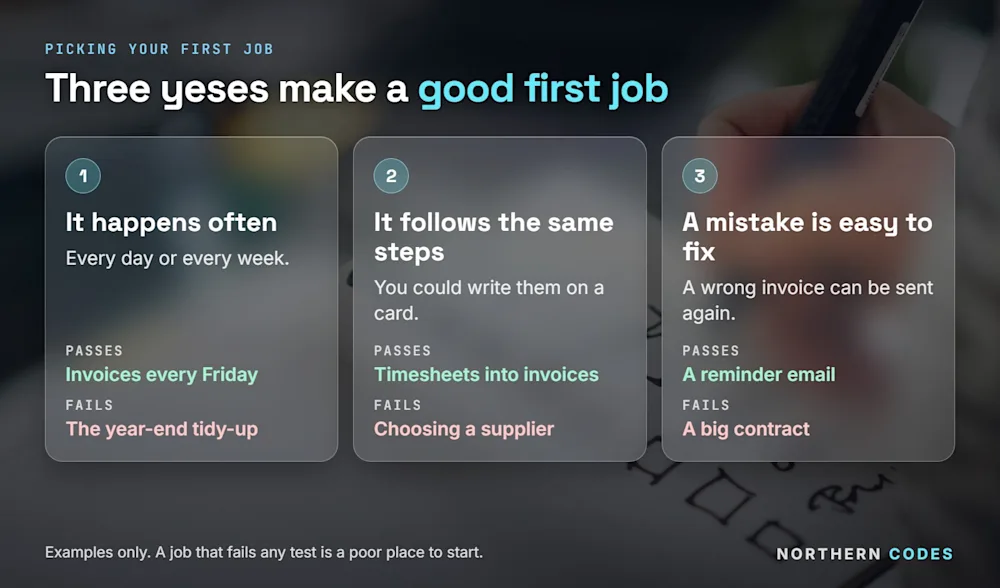
The one that happens most often, follows the same steps every time, and is easy to fix if it goes wrong. Often means the time saved adds up every week. Same steps means the computer can follow them. Easy to fix means an early slip costs you one invoice sent again, which nobody minds.
Run each job on your list through three tests:
- It happens often. Every day or every week.
- It follows the same steps. You could write them on a card.
- A mistake is easy to fix. A wrong invoice can be sent again.
Three yeses, and you've found a good first job. If we had to bet on one job for most businesses, it would be invoices or getting orders into the system, because both happen every week and both follow rules.
Don't start with the job that feels worst if it only comes round once a year. The year-end tidy-up hurts, but you only do it once, and it needs a person's thinking. Start with something small, frequent and forgiving.
How do you compare the jobs on your list?
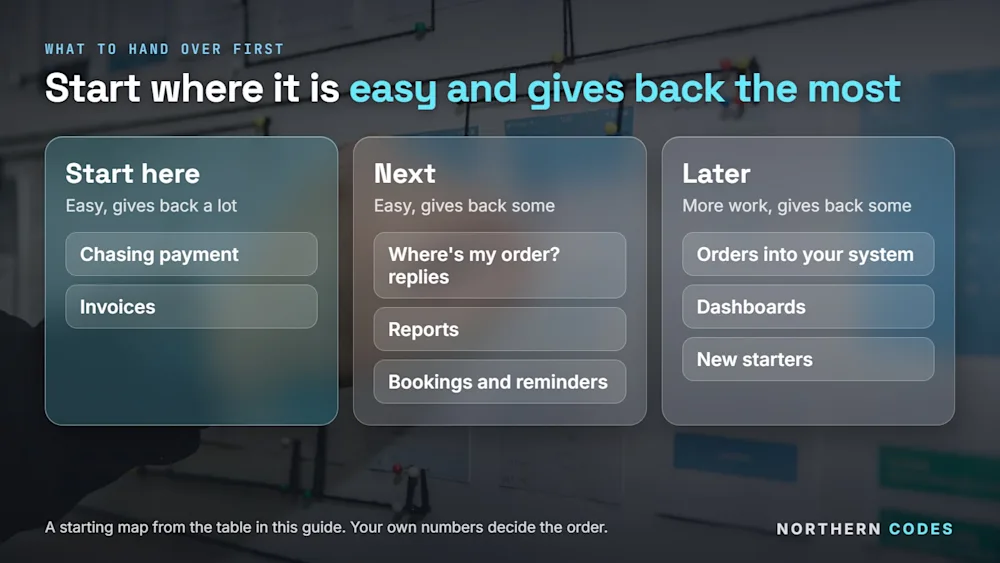
Give each job two scores: how hard it is to hand over, and how much time it gives back. Start with the job that is easy to hand over and gives back the most. Finish it. Then pick the next one.
The job | How hard to hand over | Time it gives back | Start here if |
|---|---|---|---|
Invoices | Easy to medium | A lot | You build invoices by hand every week |
Chasing payment | Easy | A lot | Late payers hurt your cash |
Orders into your system | Medium | Medium to a lot | You type the same order twice |
"Where's my order?" replies | Easy | Medium | Customers ask every day |
Reports | Easy | Medium | You rebuild the same report every week |
Dashboards | Medium | Medium | You wait days for this month's numbers |
Bookings and reminders | Easy | Medium | People forget their appointments |
New starters | Medium | Medium | You take on people often |
Treat this as a starting map. Your own numbers decide.
How much time could one job give back?
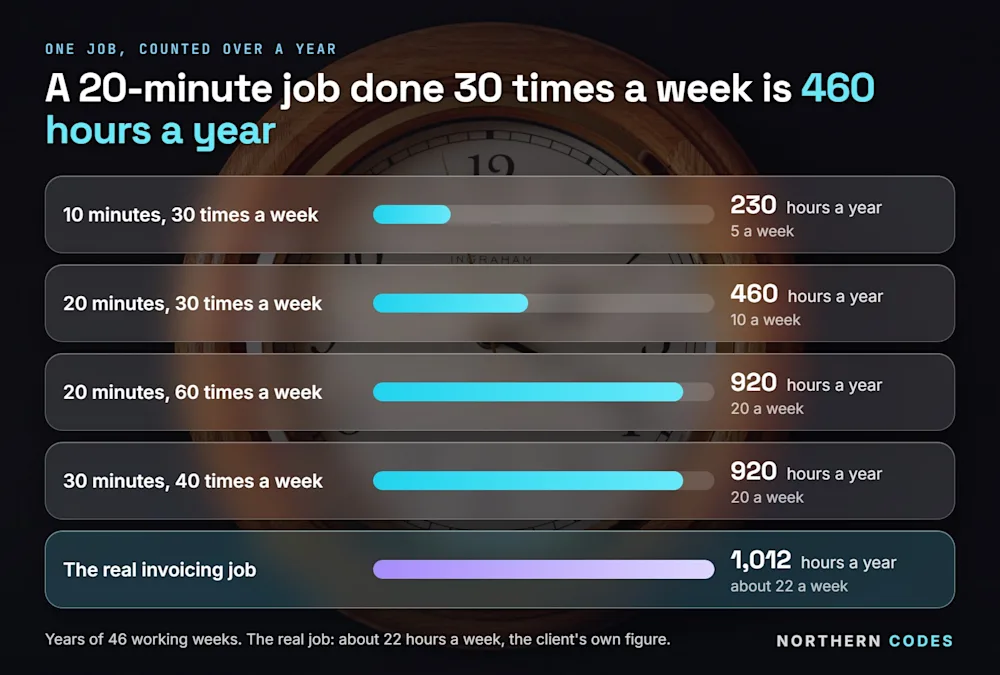
Time the job once, then count how many times it happens in a week. Multiply the two. A 20-minute job done 30 times a week is 10 hours a week. That is more than a full working day, every week, for good.
One job takes | Times a week | Hours a week | Hours a year (46 working weeks) |
|---|---|---|---|
10 minutes | 30 | 5 | 230 |
20 minutes | 30 | 10 | 460 |
20 minutes | 60 | 20 | 920 |
30 minutes | 40 | 20 | 920 |
Forty-six weeks allows for holidays. Hours are the easy part to count, but mistakes cost money too, because every wrong invoice has to be found, fixed and sent again by someone.
For one real business, the invoicing job came to about 22 hours a week. That's the client's own figure. If you want to see what the money side looks like, we've written about what it costs to have a job automated.
What did this look like for real businesses?
Three examples, all real. Each started with one job that happened often and followed the same steps.
A hospitality staffing company: invoices from timesheets
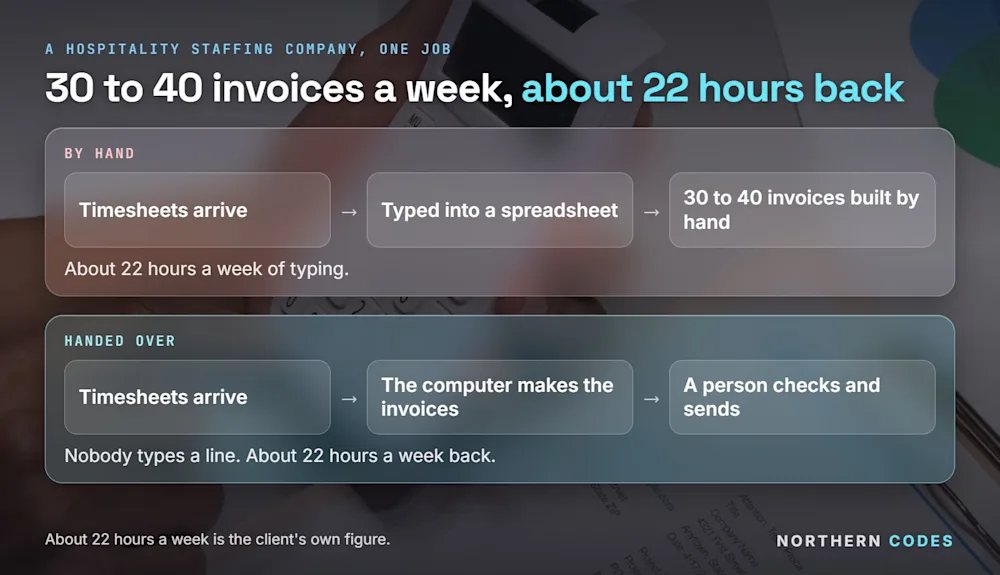
The company's workers filled in timesheets. Someone typed every timesheet into a spreadsheet, then built 30 to 40 invoices a week from it.
Now the timesheets go in, the invoices come out, and a person checks each one before it goes to the client. That gave the company back about 22 hours a week. Read the full story of the 22 hours.
Stomp Distribution: order questions and a weekly report
Stomp Distribution sells motorbikes and pit bikes. When a customer emails "where's my order?", the answer now goes back by itself with the tracking number, once the order has shipped.
Every Monday, a sales report makes itself and arrives by email. Nobody has to build it.
ERTECH LTD: lots of systems, now linked up
ERTECH LTD sells security cameras, alarms and lighting to installers all over the UK. It had lots of different systems. None of them talked to each other, so people typed the same things again and again.
Now they're linked up. Every night, the main supplier's stock numbers go onto the website by themselves. When an order comes in, one screen finds the right courier and prints the label, and the customer gets their tracking number.
Every customer has one page with their orders, their addresses and the price they get, and every morning one email says whether all the systems are working.
Do you need new software to automate a job?
Usually not. Most first jobs run on the systems you already have, and we link them so that something typed once shows up everywhere it should. When nothing off the shelf fits, we build it for you, like the app that turns timesheets into invoices.
You own what we build, and your team keeps working the way it knows, on the screens it already uses every day. See how we take a job off your team's plate.
How do you start?
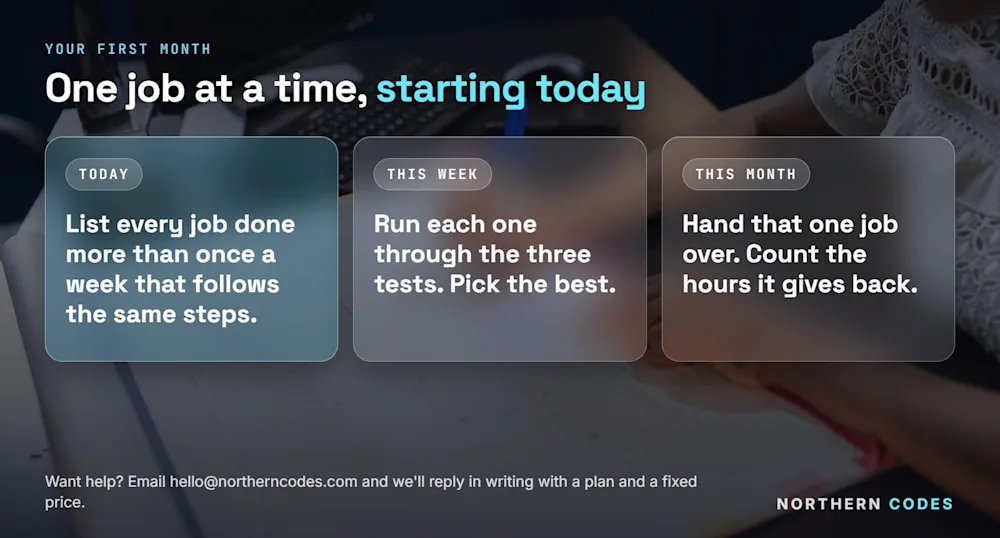
Three steps, over a month.
Today
List every job someone does more than once a week that follows the same steps. Don't judge them yet. For now, you're only looking for the jobs that repeat.
This week
Put each job through the three tests: often, same steps, easy to fix. Pick the one that passes all three and gives back the most time. If you'd like a structured hour for this, try our 60-minute check of where the time goes.
This month
Hand that one job over. Expect the first version to need a tweak once it meets your real paperwork; that's normal, and it's the reason to start with one job. Count the hours it gives back. Then pick the next one.
Tell us where the time goes
Tell us where the time goes, in writing or on a call. Either way, you get a plan and a fixed price. A short form or an email is enough. Tell us in writing or book a call, whichever suits you. You can also email hello@northerncodes.com, or ask for a fixed price if you already know the job.
Common questions
Can a computer really do a job like invoicing on its own?
Yes. If the job follows the same steps every time, the computer can do it. For one hospitality staffing company it now makes 30 to 40 invoices a week from timesheets. A person still checks them before they go out.
Will automating jobs replace my staff?
No. That isn't the aim. It takes the boring, repeated jobs off their plate, so they spend their time on customers and on the work that needs a person.
Should I automate everything at once?
No. Hand over one job, finish it, and count the hours it gives back. Then do the next. Trying to change five jobs at once takes months and gives you nothing to show for it in the meantime.
Do I need to understand the technical side?
No. You tell us where the time goes in your own words, in writing or on a call, and you get a plan and a fixed price. You never need to know how it's built.
Are most businesses doing this already?
No. The Office for National Statistics found that 9% of UK firms used AI in 2023, and expected that to reach 22% in 2024. Of the firms planning to use it, 42% planned to use it for tasks people do now (ONS, checked 28-09-2026). Most businesses still do these jobs by hand.
Will I know the price before you start?
Yes. You get a written plan and a fixed price before any work starts. If a job won't pay for itself, we'll tell you so.
Sources: Office for National Statistics, Management practices and the adoption of technology and AI in UK firms, 2023 | GOV.UK, Charging interest on commercial debt. Both checked 28-09-2026.