Best AI Tools for Small Business UK: 15 We Actually Use (2026)
Most "best AI tools" lists are written by people who've never implemented them for a real business. We have.
Over the past two years, we've tested more than 40 AI tools across dozens of client projects - from one-person consultancies in Manchester to 25-staff e-commerce operations in Kent. Some tools saved our clients thousands. Others were expensive distractions. A few were outright disasters.
This isn't a list we pulled from Google. These are the 15 AI tools we've actually deployed, configured, and measured results for with real UK small businesses. We'll give you honest pricing in GBP, tell you where each tool falls short, and help you figure out which ones are worth your money.
At a Glance
Best general AI assistant: Claude Pro (14.40/mo) - our top pick for business writing and analysis. Best for content and design: Canva Pro (10/mo) - does 80% of what a designer costs you. Best customer service chatbot: Tidio (free tier available) - easiest setup for small e-commerce. Best workflow automation: n8n (free self-hosted) - no per-task limits, fully customisable. Best finance admin saver: Xero (from 15/mo) - AI bank reconciliation is genuinely good. Best free CRM: HubSpot (free tier) - pair it with an AI assistant and you're sorted.
What We Look For in an AI Tool
We don't recommend a tool unless it ticks five boxes:
UK pricing in GBP. If a tool only bills in USD with no transparent GBP option, that's a red flag for ongoing cost management. Exchange rate surprises add up.
GDPR compliance. The tool needs a Data Processing Agreement, EU/UK data residency options, and clear documentation on how it handles your data. This isn't optional - it's the law.
Measured time savings. "It makes things faster" isn't good enough. We track hours saved per week for every tool we deploy. If it doesn't save at least 3 hours weekly, it's probably not worth the subscription.
Integration with existing systems. This is where most small businesses get burned. We worked with a Kent-based accounting firm last year that spent three months trying to get an AI scheduling tool to work with their UK payroll system. It never did. Three months of subscription fees, staff training time, and frustration - all wasted because nobody checked integration compatibility before signing up. We now run integration audits before recommending anything. If you want to understand why connecting your existing tools matters so much, our guide to connecting business systems covers this in detail.
Learning curve for non-technical staff. If the business owner can't figure it out within an afternoon, most of the team never will. The fanciest AI tool in the world is useless if it sits unused.
General AI Assistants

These are the Swiss Army knives - good at lots of things, not always the best at one specific task.
ChatGPT (Free / Plus at 16/mo)
OpenAI's chatbot is the one most people have heard of, and for good reason. It's genuinely good at quick tasks: drafting customer emails, brainstorming product names, summarising long documents, writing social media captions.
The free tier is surprisingly capable for basic business tasks. Plus gives you GPT-4o access, faster responses, and the ability to upload files for analysis.
Where it shines: Speed. It's fast, the interface is simple, and most staff pick it up in minutes. We use it internally for quick first drafts of content.
Where it falls short: Long, complex documents. Ask it to review a 30-page contract and it'll miss things. It can also be confidently wrong, which is dangerous if you're not double-checking outputs.
Claude (Free / Pro at 14.40/mo)
This is our daily driver at Northern Codes. Claude handles longer contexts better than any other AI assistant we've tested. You can upload entire contracts, policy documents, or financial reports and get accurate analysis back.
Where it shines: Detailed business writing, proposal drafting, contract review, and any task involving long documents. We write most of our client proposals with Claude because it maintains consistency across 10+ pages without losing the thread.
Where it falls short: It's more cautious than ChatGPT, which means it sometimes hedges when you want a direct answer. Also less well-known, so there are fewer tutorials and community resources.
Google Gemini (Free / Advanced at 18.99/mo)
If your business already runs on Google Workspace - Gmail, Docs, Sheets, Calendar - Gemini is the natural choice. It plugs directly into the tools you're already using.
Where it shines: Gmail integration is genuinely useful. It drafts replies in your tone, summarises email threads, and pulls data from your Google Sheets into conversations. For businesses living in Google's world, the convenience is hard to beat.
Where it falls short: It's the most expensive of the three at the paid tier, and the AI itself isn't as strong as Claude or ChatGPT for complex reasoning tasks. You're paying a premium for the Google integration.
Our honest take: Most small businesses need just one AI assistant. If you use Google Workspace heavily, go with Gemini. For everything else, start with Claude Pro. Use ChatGPT's free tier as a backup for quick jobs.
Content and Marketing
Canva Pro (10/mo per person)
Canva was already the go-to design tool for non-designers. The AI features have pushed it further. Magic Design generates social posts, presentations, and ads from a text prompt. Background Remover saves hours of fiddly editing. Brand Kit keeps everything consistent without needing a style guide taped to the wall.
For most small businesses, Canva Pro replaces the need for a part-time designer for day-to-day content. It won't produce agency-quality branding, but for social media, flyers, and email headers, it's more than enough.
Jasper (from 32/mo)
Jasper is purpose-built for marketing content. Its brand voice feature learns your tone and keeps blog posts, emails, and ad copy consistent. The campaign workflow lets you generate an entire marketing campaign - emails, landing page copy, social posts - from a single brief.
The catch: At 32/mo minimum, it's expensive for what it does. If you're already paying for Claude or ChatGPT Plus, you can get 80% of Jasper's output by writing good prompts. We only recommend Jasper for businesses producing high volumes of marketing content - think 10+ blog posts or 50+ social posts per month.
Descript (from 16/mo)
If your business creates video or podcast content, Descript is borderline magic. You edit audio and video by editing the text transcript. Delete a sentence from the transcript, and it disappears from the video. It also removes filler words automatically, generates captions, and can clone your voice for corrections.
Worth noting: Most small businesses don't need this. But if you're doing regular video content for YouTube, TikTok, or client tutorials, it pays for itself in the first week.
Our honest take: Most small businesses only need Canva Pro plus one AI assistant for their content needs. Don't sign up for all three.
Customer Service and Chatbots
Tidio (Free / from 24/mo)
Tidio's AI chatbot, Lyro, handles common customer questions by learning from your FAQ pages and help documents. The free tier gives you 50 AI conversations per month, which is enough for small e-commerce sites to test whether a chatbot actually helps.
Setup takes about an hour. Point it at your FAQ page, tweak a few responses, and it's live. For Shopify and WooCommerce users, the integration is plug-and-play.
Intercom (from 52/mo)
Intercom's Fin AI agent is better suited to B2B businesses with complex customer queries. It handles multi-step conversations, pulls information from your knowledge base, and knows when to hand off to a human. The reporting is excellent - you can see exactly which questions the AI handles well and which it struggles with.
The catch: It's expensive, and the pricing scales with usage. For a small business, costs can creep up quickly once you're past the base tier. We typically recommend Intercom for businesses with 10+ staff and regular support volume.
Custom AI Chatbots (500-2,000 setup)
When off-the-shelf chatbots don't fit, a custom build makes sense. We built a chatbot for a dental practice in South London last year that handles appointment booking, answers insurance questions, and triages emergency calls. It now resolves 65% of patient enquiries without any human involvement - the equivalent of freeing up about 15 hours of receptionist time per week.
Custom chatbots cost more upfront, but for businesses with specific workflows, they pay back fast. If you're curious about what AI agents actually are and how they differ from basic chatbots, we've written a plain-English explainer.
Workflow Automation
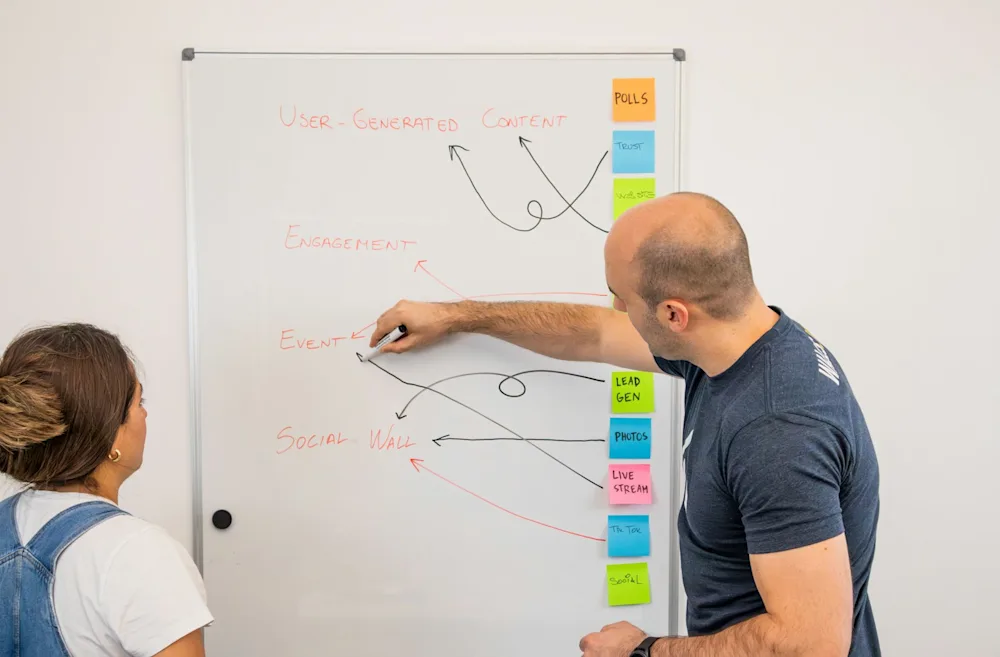
These tools connect your apps and automate repetitive tasks - sending data between systems, triggering actions based on events, and eliminating copy-paste busywork. If you want the full picture on why this matters, our business systems integration guide walks through the logic.
n8n (Free self-hosted / Cloud from 17/mo)
This is what we use for most client automation projects. n8n is open-source, self-hostable, and has no per-task pricing limits. That last point matters - other tools charge you more the more automations you run, which punishes success.
The visual workflow builder is intuitive enough for technical-adjacent staff, and the community has pre-built templates for hundreds of common workflows. We've used it for everything from auto-syncing Xero invoices with CRMs to building custom integrations between Sage and WordPress.
The catch: Self-hosting requires some technical knowledge. The cloud version removes that barrier but adds cost. Either way, there's a steeper learning curve than Make or Zapier.
Make (Free / from 7.40/mo)
Make (formerly Integromat) hits the sweet spot between power and simplicity. The visual builder is genuinely enjoyable to use, and the free tier gives you 1,000 operations per month - enough to automate a few basic workflows and see real results.
We often recommend Make for businesses that want to start automating without hiring a developer. The templates library is strong, and the learning curve is manageable for someone who's comfortable with spreadsheets.
Zapier (Free / from 15.50/mo)
Zapier has the biggest app library - over 6,000 integrations. If you need to connect two obscure tools, Zapier probably supports it. The free tier allows basic two-step automations, which is enough for simple things like "when a new form submission arrives, add it to a Google Sheet and send me a Slack message."
The catch: Pricing is based on tasks (individual steps in a workflow). High-volume automations get expensive quickly. A workflow that processes 50 orders a day can cost more on Zapier than a full Make or n8n subscription.
Our honest take: For tradespeople and service businesses, Make is usually the best starting point. For businesses with complex or high-volume automation needs, n8n is worth the learning curve. Zapier works best when you need a specific integration that the others don't support.
If you would rather have those workflows built and run for you than take them on yourself, that is the day-to-day work of our AI automation agency.
Finance and Admin
Xero (from 15/mo)
Xero's AI bank reconciliation has genuinely changed how our accounting clients work. It learns your categorisation patterns and starts matching transactions automatically after a few weeks. Invoice matching catches duplicates and flags anomalies.
For UK small businesses, Xero's integration with HMRC for Making Tax Digital is a massive time saver at VAT return time. Most of our clients on Xero report saving 4-6 hours per month on bookkeeping alone.
ANNA (Free basic tier)
ANNA is built specifically for UK small businesses. It auto-sorts expenses into tax categories, chases late invoices on your behalf, and integrates with Companies House for filing reminders. The free tier includes a business current account with no monthly fees.
Best for: Sole traders and micro-businesses (1-5 staff) who want banking and basic accounting in one place without paying for Xero.
Sage Copilot (included with Sage 50)
If you're already on Sage - and many UK businesses are - Copilot is included at no extra cost. It automates data entry, predicts cash flow, and flags unusual transactions. Sage's own data suggests it saves around 5 hours of admin per week for typical users.
We've done several projects connecting Sage with other business systems, and Copilot's AI features have made those integrations smoother by keeping the Sage data cleaner.
Otter.ai (Free 300 mins/mo / Pro at 7/mo)
Otter transcribes meetings in real time and generates action items automatically. The free tier gives you 300 minutes per month, which covers most small businesses. It works with Zoom, Teams, and Google Meet.
The practical value: No more "can you send me the meeting notes?" emails. Otter generates a summary with action items within minutes of the meeting ending. For businesses running 5+ meetings per week, it saves 2-3 hours of note-taking time.
CRM and Sales
HubSpot (Free CRM / Paid from 15/mo)
HubSpot's free CRM is genuinely free - no time limits, up to 1,000,000 contacts. The AI features in the paid tiers include email writing assistance, predictive lead scoring, and automated follow-up sequences.
For most small businesses under 10 staff, the free CRM paired with an AI assistant like Claude is enough. You don't need HubSpot's paid AI features when you can draft the same emails in ChatGPT and paste them in. If you're weighing up whether to build something custom or use an off-the-shelf CRM, our custom CRM guide breaks down the real costs.
Clay (from 134/mo)
Clay is for businesses that rely on outbound sales. It pulls prospect data from over 100 sources, enriches it with AI, and helps you write personalised outreach at scale. A single Clay workflow can replace hours of manual LinkedIn research and data entry.
The catch: At 134/mo, it's firmly aimed at businesses where new client acquisition is worth hundreds or thousands per deal. A local cafe doesn't need Clay. A B2B consultancy doing 5,000+ projects probably does.
Our honest take: For most small businesses, HubSpot free is the right starting point. Add Clay only if outbound sales is a primary growth channel and your average deal size justifies the subscription.
How Much Should You Spend on AI Tools?

The sweet spot for most UK small businesses with 1-15 staff is 50-100 per month. Here's how that typically breaks down:
One AI assistant (Claude Pro or ChatGPT Plus): 14-16/mo. One automation tool (n8n cloud or Make): 7-17/mo. One specialist tool for your biggest pain point: 10-25/mo. Total: 31-58/mo for the essentials.
That leaves room in a 100 budget for a second specialist tool or to upgrade to higher tiers as you grow.
The numbers make the case on their own. Recent data from the Federation of Small Businesses suggests UK SMEs using AI tools save an average of 29,000 per year and around 122 hours per employee. Even at 100/mo (1,200/year), the return is roughly 24:1. We've broken down AI automation costs for UK small businesses in more detail if you want the full picture.
The mistake we see most often: Businesses signing up for 5-6 AI tools at once, using each one twice, then cancelling everything and deciding "AI doesn't work for us." Start with two tools. Use them properly for a month. Then add more.
How to Pick the Right Tools for Your Business
Step 1: List your three most time-consuming manual tasks. Be specific. Not "admin" but "manually entering invoice data into Xero every Friday afternoon" or "answering the same 10 customer questions on live chat."
Step 2: Match each task to a tool category above. Invoice entry? Finance tools. Repetitive customer questions? Chatbot. Moving data between systems? Automation. If a task doesn't clearly match a category, an AI assistant is usually the place to start.
Step 3: Start with free tiers. Every tool in our list has a free tier or trial. Don't pay until you've confirmed the tool actually fits your workflow. We've seen too many businesses commit to annual plans before properly testing.
Step 4: Measure hours saved weekly for the first month. Write it down. A simple spreadsheet is fine - task name, time before AI, time after AI, hours saved. If a tool isn't saving at least 3 hours per week after a month, cancel it and try the next option.
Step 5: Consider integration before you buy. Before adding a new tool, check whether it connects to what you already use. A brilliant AI tool that sits in isolation creates more work, not less. Our business systems integration guide explains how to think about this properly.
FAQ
What's the best free AI tool for a small business in the UK?
ChatGPT's free tier is the best starting point for most businesses. It handles email drafting, brainstorming, customer communication, and basic analysis without costing a penny. Claude's free tier is also strong, particularly for longer documents. For design work, Canva's free tier covers the basics. Between these three free tools, you can make a real difference to your productivity before spending anything.
Are AI tools GDPR compliant?
Most major AI tools now offer GDPR-compliant options, but you need to check the specifics. Look for: a Data Processing Agreement (DPA), clear data retention policies, the option to opt out of your data being used for training, and ideally EU or UK data residency. All 15 tools in our list offer GDPR compliance, though some require you to enable specific settings. Don't assume it's automatic - read the data processing terms.
Can AI tools replace my admin staff?
Not entirely, and that's usually not the right goal. What AI tools do well is eliminate the repetitive parts of admin work - data entry, scheduling, basic customer queries, invoice chasing. This frees your admin staff to handle the tasks that need human judgement: complex customer issues, relationship management, and problem-solving. We typically see AI tools reducing admin workload by 30-50%, not eliminating it. That often means your existing team can take on more without you needing to hire.
How long does it take to see ROI from AI tools?
For simple tools like AI assistants and Canva, you'll see time savings in the first week. For automation tools like n8n or Make, allow 2-4 weeks for setup and testing before workflows are running smoothly. Custom chatbots typically show clear ROI within 6-8 weeks. The key is measuring from day one - if you're not tracking hours saved, you won't know whether a tool is earning its subscription.
Do I need technical skills to use these tools?
For AI assistants (ChatGPT, Claude, Gemini), Canva, and basic chatbots like Tidio - no. If you can use email and social media, you can use these tools. For automation platforms (n8n, Make, Zapier), some comfort with logical thinking and basic data concepts helps, but you don't need to code. Make and Zapier are designed for non-technical users. n8n has a steeper learning curve. For custom chatbots and complex automations, that's where agencies like us come in.
Which AI tool is best for customer service?
It depends on your business type and volume. For small e-commerce sites handling under 100 customer interactions per month, Tidio's free tier is a solid starting point. For B2B businesses with complex support needs, Intercom's AI agent handles multi-step conversations better. If your business has very specific workflows - like the dental practice we mentioned that needed appointment booking, insurance verification, and emergency triage - a custom chatbot will outperform any off-the-shelf solution. Our post on what AI agents can do explains the differences between basic chatbots and more capable AI agents.
Should I use ChatGPT or Claude for my business?
We use both, for different things. ChatGPT is faster for quick tasks - short emails, social media captions, brainstorming sessions. Claude is better for longer, more complex work - reviewing contracts, writing detailed proposals, analysing large documents. If you're only paying for one, Claude Pro at 14.40/mo gives you slightly more value for business use than ChatGPT Plus at 16/mo. But honestly, using the free tier of both and seeing which fits your workflow better is the smartest first move.
The Bottom Line
You don't need 15 AI tools. You probably need three.
Start with one AI assistant (Claude or ChatGPT), one tool for your biggest time drain (whether that's design, automation, bookkeeping, or customer service), and give yourself a month to measure the results. That's it. You can always add more later.
The businesses we've seen get the most from AI aren't the ones with the most subscriptions. They're the ones that properly implemented two or three tools and actually changed how their team works day to day.
If you're not sure which tools fit your business, or you've tried a few and can't get them working together, we can help. Get in touch for a free consultation and we'll map your biggest time sinks to the right AI tools. Or if you already know what you need, request a quote and we'll come back to you within 24 hours.